NOTE: Getting Advice About Genetic Testing
Since my previous post comparing my 23andMe health report to Promethease was so popular, I thought it would be worthwhile to share what I have found from digging a little deeper into my raw 23andMe data.
This analysis required some coding on my part, but I've provided links to see a detailed description of my analysis and how to reproduce this analysis. If you don't want to try and run my scripts on your own data, you can just take a look at the high-level discussion that I have provided below.
Step #1: Annotate SNPs using SeattleSNP
Step #2: Match SNPs in GWAS Catalog
Step #3: Combine SeattleSNP and GWAS Catalog annotations. Add PAM score.
Step #4: Filter combined dataset
Step #5: Summarize features in combined dataset
Description of my 23andMe SNPs
Number of 23andMe SNPs: 950,566 (v3 array)
Unique SNPs in Combined File (SeattleSNP + GWAS Catalog): 926,754 (97.5%)
Number of SNPs with GWAS Catalog Annotations: 3,050
Number of SNPs with Disease-Associated Alleles: 1,626
-Heterozygous Risk Allele: 990
-Homozygous Risk Allele: 636
Number of Coding SNPs: 288,894
Number of Non-synonymous SNPs: 16,993
Number of Non-synonymous SNPS with PAM Score < 0: 915
Number of SNPs Causing Premature Stop Codons: 57
Integration of SeattleSNP and GWAS Catalog Annotations
If I filter my non-synonymous SNPs for those with odds ratios greater than 2 and a PAM score less than 0, then I can idenify a single SNP (rs1260326) with 3 entries in the GWAS catalog for associations with triglycerides (OR = 8.8, Teslovich et al. 2010), liver enzyme levels for gamma-glutamyl transferase (OR=3.2, Chambers et al. 2011), and platelet counts (OR = 2.3, Gieger et al. 2011). This allele is present in approximately 40% of the population, and it changes the coding sequence of glucokinase (hexokinase 4) regulator (GCKR). Reviewing Chambers et al. 2011 was especially interesting because GCKR was selected as one of the five genetic loci to also be tested for correlations with metabolomic data (figure 3 of that publication). In fact, GCKR seems to show the strongest correlation with increased LDL and VLDL in that figure.
NCBI Gene also indicates that GCKR is associated with diabetes, which is also described in the text for Chambers et al. 2011. Chambers et al. 2011 classify GCKR as a gene associated with inflammation, as measured by concentrations of C-reactive protien (CRP) in Elliott et al. 2009. As a general note, all of these publications require a subscription, but NCBI Gene is a good free source of information about gene functions.
The nice thing about these associations is that many of them are measured with routine blood tests. Although I have always received normal blood test results, I can easily keep an eye out for changes in the future. More specifically, Chambers et al. 2011 show an association between my GCKR SNP and gamma-glutamyl transferase levels (GGT), which is "sensitive to most kinds of liver insult, particularily alcohol" (citing Pratt et al. 2000). So, perhaps this can encourage me to continue to drink only in moderation.
Comparison with Previous Analysis
In my previous blog post, I highlighted 3 disease associations: venous thromboembolism, rheumatoid arthritis, and type I diabetes. Of course, none of these associations are identifed if I filter both by GWAS Catalog odds ratios and PAM scores, but I do find 3 SNPs associated with rheumatoid arthritis if I only filter for GWAS Catalog associations with an odds-ratio greater than 2.
The reason I didn't originally see these SNPs in my first filter is that none of them cause non-synoymous mutations. Like most of the SNPs, they were not located in coding regions. Unfortuantely, it is harder to characterize the likely function of these types of mutations, but this is certainly an exciting area of on-going research.
If I look at the GWAS catalog annotations for my SNPs, I can confirm that the GWAS catalog does contain SNPs associated with venous thromboembolism and type I diabetes (in fact, there are a lot of SNPs associated with type I diabetes), and I can confirm that I am a carrier for some of these risk alleles. However, none of these SNPs showed associations with odds ratios greater than 2.
Although I am emphasizing the overlap between different methods of analyzing my 23andMe data, I think it would be too conservative to say that only candidates that are independently identified are worth examining. For example, it is very hard to determine the best way to predict the interaction of different variants. In fact, I found it especially exciting to read about the GCKR SNP that didn't jump out at me from any of the other analysis, and I think gaining exposure to genomics research is very important benefit of having direct-to-consumer genetic testing.
Showing posts with label SeattleSNP. Show all posts
Showing posts with label SeattleSNP. Show all posts
Thursday, June 14, 2012


Summarize 23andMe SNP Categories
The primary goal of this script is to provide statistics about your 23andMe SNPs (number of annotated SNPs, number of homozygous / heterozygous disease assocations, number of coding SNPs, etc.)
Step #1:Create a

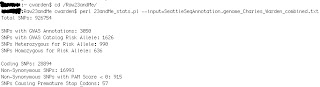
I have tested my perl scripts on a PC and Mac, but I cannot guarentee that they will work on every possible platform. Also, these scripts may need modifications as file formats change, but I have currently confirmed that my scripts work with v2 and v3 arrays using genomes from Genomes Unzipped. If you have any questions or comments, please post them below and I will do my best to help troubleshoot.
Step #1:Create a
- Prepare combined SNP file (click here for details)
- This will also work for filtered files (check here for details)
- Download the perl script 23andMe_stats.pl
- There is one parameter that you need to enter:
- inputfile = file containing 23andMe SNPs with both SeattleSNP and GWAS Catalog annotations (click here for details)
- PC Users
- Open a terminal window (type "cmd" in Run, for example)
- Move to the folder where your 23andMe data is saved.
- Basic commands:
- cd = change folder
- If the data is not in your C:\ drive, you can type "cd \d D:"
- .. = move up one folder
- Type in "perl 23andMe_GWAS_stats.pl" and enter the required genome parameter. See example below (click to enlarge) .

- Mac Users
- Open Terminal (in Applications/Utilities, for example)
- Basic commands:
- cd = change folder
- .. = move up one folder
- Type in "perl 23andMe_GWAS_ stats .pl" and enter the required genome parameter. See example below (click to enlarge) .
I have tested my perl scripts on a PC and Mac, but I cannot guarentee that they will work on every possible platform. Also, these scripts may need modifications as file formats change, but I have currently confirmed that my scripts work with v2 and v3 arrays using genomes from Genomes Unzipped. If you have any questions or comments, please post them below and I will do my best to help troubleshoot.
Filter Combined Annotations for 23andMe SNPs
Step #1: Prepare Inputfile


- List of 23andMe SNPs with both SeattleSNP and GWAS Catalog annotations (click here for details)
- Download the perl script 23andMe_filter.pl
- There is one parameter that you need to enter:
- input = file containing 23andMe SNP file with SeattleSNP and GWAS Catalog SNPs (see here for more details)
- There is 5 optional parameters that you can enter:
- output = output file containing filtered SNP lists. By default, _filter.txt is appended to the end of the input file
- OR = odds ratio cutoff (filter for scores greater than cutoff) [default = 2]
- PAM = PAM score cutoff (filter for scores less than cutoff) [default = 0]
- risk_status = status for GWAS Catalog risk allele, Either "Homozygous", "Heterozygous" (which actually filters for both homozygous and heterozygous risk alleles), or "none" [default = "Heterozygous]
- allele_freq = set of parameters to describe allele frequency cutoff. If provided, parameter must be the following format [genetic background]_[comparison type]_[threshold] For example, European_gt_0.25. [default = "none?]
- Genetic background can be "European", "African", and "Asian"
- Comparison type can be "gt" for greater than or "lt" for less than
- Threshold corresponds to the population frequency. Must be between 0 and 1.
- PC Users
- Open a terminal window (type "cmd" in Run, for example)
- Move to the folder where your 23andMe data is saved.
- Basic commands:
- cd = change folder
- If the data is not in your C:\ drive, you can type "cd \d D:"
- .. = move up one folder
- Type in "perl 23andMe_filter.pl" and enter the required input parameter. See example below (click to enlarge) .

- You can also enter in optional parameters (OR, PAM, risk_status , and/or allele_freq ). See example below (click to enlarge) .

- Mac Users
- Open Terminal (in Applications/Utilities, for example)
- Basic commands:
- cd = change folder
- .. = move up one folder
- Type in "perl 23andMe_ filter.pl" and enter the required input parameter. See example below (click to enlarge).
- You can also enter in optional parameters (OR, PAM, risk_status , and/or allele_freq ). See example below (click to enlarge) .
I have tested my perl scripts on a PC and Mac, but I cannot guarentee that they will work on every possible platform. Also, these scripts may need modifications as file formats change, but I have currently confirmed that my scripts work with v2 and v3 arrays using genomes from Genomes Unzipped. If you have any questions or comments, please post them below and I will do my best to help troubleshoot.
Combine SeattleSNP and GWAS Catalog Annotations for 23andMe SNPs
There are two main functions for this script:
1) Combine the results from 23andMe_to_SeattleSNP.pl and 23andMe_GWAS_catalog.pl
2) Add a score to predict the severity of non-synonymous SNPs. In this case, I am adding a PAM score (created from this matrix). These scores are correlated with the frequency of various amino acids substitutions over time. In fact, there are different PAM matrics that can be used. There are some slightly more rigorous tools to accomplish this (such as PolyPhen or SIFT), and SeattleSNP can provide PolyPhen predictions for certain SNPs. However, I wanted to use the PAM score as something that can be quickly added to all the non-synonymous mutations.
Step #1: Prepare Inputfiles


I have tested my perl scripts on a PC and Mac, but I cannot guarentee that they will work on every possible platform. Also, these scripts may need modifications as file formats change, but I have currently confirmed that my scripts work with v2 and v3 arrays using genomes from Genomes Unzipped. If you have any questions or comments, please post them below and I will do my best to help troubleshoot.
1) Combine the results from 23andMe_to_SeattleSNP.pl and 23andMe_GWAS_catalog.pl
2) Add a score to predict the severity of non-synonymous SNPs. In this case, I am adding a PAM score (created from this matrix). These scores are correlated with the frequency of various amino acids substitutions over time. In fact, there are different PAM matrics that can be used. There are some slightly more rigorous tools to accomplish this (such as PolyPhen or SIFT), and SeattleSNP can provide PolyPhen predictions for certain SNPs. However, I wanted to use the PAM score as something that can be quickly added to all the non-synonymous mutations.
Step #1: Prepare Inputfiles
- SeattleSNP annotations (click here for details)
- GWAS Catalog annotations (click here for details)
- My PAM matrix can be downloaded here.
- Download the perl script 23andMe_combine.pl
- There are three parameters that you need to enter:
- seattleSNP =23andMe SNPs with SeattleSNP annotations (click here for details)
- GWAS =23andMe SNPs with GWAS Catalog annotations. Please note that this is not the original GWAS annotation file but the file that was created at this step. (click here for details)
- PAM = substitution matrix indicating the severity of the non-synonymous mutation (such as the file provided here)
- The outputfile will have _combined.txt appended to the end of the seattleSNP file name.
- PC Users
- Open a terminal window (type "cmd" in Run, for example)
- Move to the folder where your 23andMe data is saved.
- Basic commands:
- cd = change folder
- If the data is not in your C:\ drive, you can type "cd \d D:"
- .. = move up one folder
- Type in "perl 23andMe_GWAS_catalog.pl" and enter the required SeattleSNP, GWAS, and PAM parameters. See example below (click to enlarge) .

- Mac Users
- Open Terminal (in Applications/Utilities, for example)
- Basic commands:
- cd = change folder
- .. = move up one folder
- Type in "perl 23andMe_GWAS_catalog.pl" and enter the required SeattleSNP, GWAS, and PAM parameters . See example below (click to enlarge) .
I have tested my perl scripts on a PC and Mac, but I cannot guarentee that they will work on every possible platform. Also, these scripts may need modifications as file formats change, but I have currently confirmed that my scripts work with v2 and v3 arrays using genomes from Genomes Unzipped. If you have any questions or comments, please post them below and I will do my best to help troubleshoot.
Reformat 23andMe Data for SeattleSNP
Step #1: Download Raw Data from 23andMe
Step #2: Reformat Raw Data


Step #3: Upload Data to SeattleSNP
The 23andMe SNP data currently uses NCBI 36 / hg18. You can confirm if this is still the case by using a text editor like Notepad++ to view the raw data.
There are a few different portals to access SeattleSNP annotations, but you will need to use this link if the 23andMe data is currently using NCBI 36 (as of today, NCBI 37 / hg19 is the latest genome build): http://snp.gs.washington.edu/SeattleSeqAnnotation/
- After signing into 23andMe, first go to "Account" (in the top right hand corner of the screen) and then "Browse Raw Data"
- Click the link near the top of the page to "download raw data"
- Choose "All DNA" for your data set, and then click "Download Data"
Step #2: Reformat Raw Data
- Download the perl script 23andMe_to_SeattleSNP.pl
- There is one parameter that you need to enter:
- genome = raw data file from 23andMe
- PC Users
- Open a terminal window (type "cmd" in Run, for example)
- Move to the folder where your 23andMe data is saved.
- Basic commands:
- cd = change folder
- For example, If the data is in your D:\ drive, you can type "cd \d D:"
- .. = move up one folder
- Type in "perl 23andMe_to_SeattleSNP.pl" and enter the required genome parameter. See example below (click to enlarge) .

- Mac Users
- Open Terminal (in Applications/Utilities, for example)
- Basic commands:
- cd = change folder
- .. = move up one folder
- Type in "perl 23andMe_to_SeattleSNP.pl" and enter the required genome parameter. See example below (click to enlarge).
Step #3: Upload Data to SeattleSNP
The 23andMe SNP data currently uses NCBI 36 / hg18. You can confirm if this is still the case by using a text editor like Notepad++ to view the raw data.
There are a few different portals to access SeattleSNP annotations, but you will need to use this link if the 23andMe data is currently using NCBI 36 (as of today, NCBI 37 / hg19 is the latest genome build): http://snp.gs.washington.edu/SeattleSeqAnnotation/
- Enter your e-mail address
- Select the file created by the perl script. It should be almost identical to the genome file, but it will say _SeattleSNP.txt at the end of the file
- This file conforms to the "custom" format, so please select "custom" under "input file format" and enter the following information
- Chromosome: 2
- Location: 3
- Reference Allele: 0
- First Allele: 4
- Second Allele: 5
- Click the green submit button
- It may take several hours to annotate your 23andME SNPs. You will recieve an e-mail message when the annoted file is ready to download.
Subscribe to:
Posts (Atom)


 Posts
Posts


